Freelance Jobs
Powered By google

IF You Are Unable To Find Your Books here. Then kindly make your request in the shoutbox below with book and author name :

Showing posts with label Visual. Show all posts

Visual Studio 2005 All-In-One Desk Reference For Dummies:

>> Tuesday, September 1, 2009

Visual Studio 2005 All-In-One Desk Reference For Dummies

Visual Studio 2005 All-In-One Desk Reference For Dummies

Product Description
A thorough revision to the Visual Studio 2005 All-In-One Desk Reference For Dummies makes this the ideal book for new programmersor Java programmers looking to get up and running with Visual Studio. The book will be a comprehensive, value-priced reference for the entire Visual Studio 2005. Microsoft’s catch-phrase for Visual Studio 2005 is personal productivity. The goal of personal productivity is to allow the developer to work at a higher level of abstraction. The goal of this book is to show the reader how to buildapplications using these productivity features of VS. As a result, language syntax and programming constructs are de-emphasized in favor of showing the user how to let VS generate the code.

This book takes a layered approach similar to how most applications are architected. When developing a new application, developersoften divide up the work for the user interface, service layer (data access), and domain classes (coding). Whether there is one developer playing all three roles, or three developers doing each, this approach allows the reader to easily reference the layer they are constructing. Minibooks include:

Book I: Visual Studio 2005 Overview.

Book II: Getting Started with Visual Studio.

Book III: Building Applications with Visual Studio 2005.

Book IV: Getting Acquainted with Data Access.

Book V: Coding.

Book VI: Going the Extra Mile.

Book VII: Extending the Family.

to download follow the link below:

http://rapidshare.com/files/273690747/VS5All-in-One_Desk_Refe_for_Dum.rar

Read more...

Sams Teach Yourself Visual C# 2005 in 24 Hours, Complete Starter Kit

Sams Teach Yourself Visual C# 2005 in 24 Hours, Complete Starter Kit

Sams Teach Yourself Visual C# 2005 in 24 Hours, Complete Starter Kit

Looking to break into C# programming? Sams Teach Yourself Visual C# 2005 in 24 Hours, Complete Starter Kit is a valuable resource. You will start by learning the basics of the Visual C# environment and begin to build working programs very quickly. As the programs become more complex, you will discover more of the advanced features of the C# programming language and the Visual C# tool. Set with the practical goal of providing you with a solid foundation from which to grow and develop your C# programming skills, this book is perfect for use in a professional setting or for use with personal projects. The accompanying CD includes Visual C# 2005 Express Edition, a streamlined, easy-to-use development tool that makes Windows programming with C# fun. Jump in with both feet with the help of Sams Teach Yourself Visual C# 2005 in 24 Hours, Complete Starter Kit.

to download follow the link below:

http://rapidshare.com/files/274120191/Sams_Teach_Your_Micro_Visual_C_sharp.rar

Read more...

Computing for Numerical Methods Using Visual C++:

>> Friday, August 21, 2009

Shaharuddin Salleh, Albert Y. Zomaya, Sakhinah A. Bakar
ISBN: 978-0-470-12795-7
Hardcover
448 pages
January 2008

Computing for NumericalMethods Using Visual C++ fills the need for a complete, authoritative book on thevisual solutions to problems in numerical methods using C++. The book takes an interdisciplinary approach to the subject and demonstrates how solving problems in numerical methodsusing C++ is dominant and practical for implementation due to its flexible language format, object-oriented methodology, and support for high numerical precisions.

Chapter 1: Overview of C++.
Language style and organization.
Data types, variables.
Loops and branches.
Array, pointer, function, structure.
Classes and objects.
Inheritance, polymorphism, encapsulation.
Complexity analysis.

Chapter 2: Visual C++ Methods.
MFC library .
Fundamental interface tools.
Text displays.
Graphics and images.
Writing the first program.

Chapter 3: Fundamental Mathematical Tools.
C++ for High-Performance Computing.
Dynamic memory allocation.
Allocation for one-dimensional arrays.
Allocation for higher-dimensional arrays.
Case Study: Matrix multiplication problem.
Matrix elimination problems.
Vector and matrix norms.
Row operations.
Matrix reduction to triangular form.
Computing the determinant of a matrix.
Computing the inverse of a matrix.
Matrix algebra.
Data passing between functions.
Matrix addition and subtraction.
Matrix multiplication.
Matrix inverse.
Putting the pieces together.
Algebra of complex numbers.
Addition and subtraction.
Multiplication.
Conjugate.
Division.
Inverse of a complex number.
Putting the pieces together.
Number Sorting.
Programming Exercises.

Chapter 4: System of Linear Equations.
Systems of Linear Systems.
Existence of Solutions.
Elimination Techniques.
Gauss Elimination Method.
Gauss Elimination with Partial Pivoting.
Gauss-Jordan Method.
LU Factorization Techniques.
Crout Method.
Doolittle Method.
Cholesky Method.
Thomas Algorithm.
Iterative Techniques.
Jacobi Method.
Gauss-Seidel Method.
Visual C++ Solution Interface.
Summary.
Programming Exercises.

Chapter 5: Nonlinear Equations.
Iterative methods: convergence, stability.
Background: existence of solution, MVT, errors, etc..
Bisection method.
False-point position method.
Newton method.
Secant method.
Fixed-point iterative method.
Visual C++ Solution Interface.
Summary.
Programming Exercises.

Chapter 6: Interpolation and Approximation.
Concepts, existence, stability.
Lagrange.
Newton methods: forward, backward.
Stirling method.
Cubic spline interpolation.
Least-square approximation.
Visual C++ Solution Interface.
Summary.
Programming Exercises.

Chapter 7: Differentiation and Integration.
Taylor series.
Newton methods (forward, backward, central).
Trapezium method.
Simpson method.
Simpson 3/8 method.
Gauss quadrature.
Visual C++ Solution Interface.
Summary.
Programming Exercises.

Chapter 8: Eigenvalues and Eigenvectors.


Chapter 9: Ordinary Differential Equations.
Existence, uniqueness, stability, convergence.
IVP: Taylor method.
Euler method.
Runge-Kutta of order 2 method.
Runge-Kutta of order 4 method.
Higher dimensional orders.
Multistep methods: Adams-Bashforth method.
Boundary Value Problems: finite-difference method.
Visual C++ Solution Interface.
Summary.
Programming Exercises.

Chapter 10: Partial Differential Equations.
Existence, uniqueness, stability, convergence.
Elliptic problem: Laplace equation.
Elliptic problem: Poisson equation.
Parabolic problem: heat equation.
Hyperbolic problem: wave equation.
Visual C++ Solution Interface.
Summary.
Programming Exercises.

Chapter 11: Finite Element Methods.
One-dimensional heat problem.
Linear approximation.
Quadratic approximation.
Two-dimensional problem: triangulation method.
Visual C++ Solution Interface.
Summary.
Programming Exercises

to download follow the link belkow:

http://www.mediafire.com/file/dtdizimmmmm/Wiley.Computing.for.Numerical.Methods.Using.Visual.C.plus.plus.Dec.2007.pdf

Read more...

Adobe After Effects CS4 Visual Effects and Compositing Studio Techniques:

>> Thursday, August 20, 2009

Adobe After Effects CS4 Visual Effects and Compositing Studio Techniques

Adobe After Effects CS4 Visual Effects and Compositing Studio Techniques

Product Description
This is the only book in the After Effects market to focus exclusively on the creation of visual effects, and is a one-stop resource for anyone who wants in-depth explanations that demystify the realm of visual effects and how they were created, thanks to veteran author Mark Christiansen’s friendly and accessible style. A thoroughly packed, informative read, this masterful guide focuses on explaining the essential concepts, features, and techniques that are key to creating seamless movie-quality visual effects. Users who are comfortable with After Effects will find a helpful review of After Effects fundamentals—managing footage, viewing and editing layers, animating type, and more—so they can learn how to work smarter and more efficiently. Readers of all levels will learn core techniques for effects compositing including color matching, keying, rotoscoping, motion tracking, emulating the camera, and concluding with using expressions in After Effects, written by contributor and expert Dan Ebberts. The final section of the book delves into creative explorations, demonstrating professional effects that readers might want to re-create.

Readers will also find comprehensive coverage of all that’s new and makes this version of Adobe’s effects program such a boon to video pros of all stripes: searchable timelines and projects, Photoshop 3D layers import, the Cartoon effect, Imagineer Systems’ Mocha for Adobe After Effects, improved workflow for mobile devices, and more.

Throughout the book, beautiful full-color examples demonstrate what’s possible, while the companion DVD offers demos of After Effects CS4, sample footage, and software plug-ins.

About the Author
Mark Christiansen has created visual effects and animations for feature films, network television, computer games, and an array of high technology companies. Recent clients include Adobe Systems Inc., Evil Eye Pictures, The Orphanage, History Channel, and HBO as well as Seagate, Sun, Intel and Medtronic. Feature credits include The Day After Tomorrow, Pirates of the Caribbean 3, and films by Robert Rodriguez. He is the author of the previous editions of Adobe After Effects Professional Studio Techniques.

to download follow the link below:

http://rapidshare.com/files/269127772/CS4.Visu.Effe.and.Composi.Studio.Techni.rar

Read more...

Programming Microsoft Visual C# 2008: The Language :

>> Wednesday, August 19, 2009

By Donis Marshall”Programming Microsoft� Visual C#� 2008: The Language”
Microsoft Press | ISBN: 0735625409 | Edition - 2008 | CHM | 912 Pages | 6 Mb

Product Description
Get the in-depth reference and pragmatic, real-world insights you need to exploit the enhanced language features and core capabilities in Visual C# 2008. Programming expert Donis Marshall deftly helps you build your proficiency with language features such as classes, structs, and other fundamentals, and helps you advance your expertise with more-advanced topics such as debugging, threading, and memory management. Combining an incisive reference with code samples and best practices, this developer reference focuses on details of the C# language you need to build innovative solutions.
Key Book Benefits:
Delves into the core, must-know topics for developers working with Visual C# 2008, and advances their mastery with essential skills

Thoroughly explicates language features such as generics, code snippets, and anonymous methods, while also providing updated information about classic features such as namespaces and metadata

Provides code samples to illustrate concepts and build skills mastery

About the Author
Donis Marshall is a trainer, a consultant and an author with 20 years of development experience and an in-depth background on Microsoft .NET technologies. He is the author of several books, including .NET Security Programming. Donis teaches classes on .NET programming, debugging, security, and design and architecture. In addition, he is the president of DebugNow.

to download follow the link below:

http://rapidshare.com/files/152041802/0735625409.rar

Read more...

Java(tm) and XML Your visual blueprint for creating Java-enhanced Web programs:

>> Tuesday, August 4, 2009

Java(tm) and XML Your visual blueprint for creating Java-enhanced Web programs
Publisher: Visual | 2002-05-01 | ISBN 0764536834 | PDF | 350 pages | 9.7 MB

Product Description:

Learn the concepts, syntax and APIs (Application Program Interface) of Java.
Includes information about DTDs, datatypes, child data, Cascading Style Sheets, XSL, data islands, ActiveX, metadata, JavaScript, Xlink, Xpointer, and more!
ABOUT THE CD-ROM
The CD will include coding examples.
Includes fully searchable e-version of the book.

to download follow the link below:

http://rapidshare.com/files/263362121/Java28tm29_and_XML_Your_visual_blueprint_for_creating_Java-enhanced_Web_programs.rar

Read more...

Microsoft Visual C#(TM) .NET Step by Step:

>> Sunday, August 2, 2009

John Sharp, Jon Jagger, “Microsoft Visual C#(TM) .NET Step by Step”
Microsoft Press | 2002-01-23 | ISBN: 0735612897 | 621 pages | PDF | 4,9 MB

This title gives readers with previous Microsoft Visual C++ or Microsoft Visual Basic experience the foundation they need to hit the ground running with the versatile Microsoft Visual C# .NET object-oriented Web development language. Real-world programming scenarios and easy-to-follow, step-by-step exercises offer the fast and clear instruction readers need to begin creating stable,efficient business-level objects and system-level applications. Readers also get code samples on a companion CD-ROM to study and reuse in their own projects.

to download follow the link below:

http://rapidshare.com/files/262768282/0735612897.rar

Read more...

Styling Web Pages with CSS: Visual QuickProject Guide:

>> Saturday, August 1, 2009

Tom Negrino, Dori Smith, “Styling Web Pages with CSS: Visual QuickProject Guide”
Peachpit Press | 2009 | ISBN: 0321555570 | 144 pages | PDF | 4,5 MB

Sometimes it’s hard to get started with a new technology. That’s where this book excels. It’s not going to show Web designers everything there is to know about CSS but rather will provide a solid introduction from which to build their CSS knowledge. The beginning of the book starts with the basics — rules, selectors, classes, IDs, the cascade, internal and external style sheets, Divs, boxes, floats, padding, margins — everything is covered. Next comes styling elements, working with images, menus and navigation, and moving styles from internal to external style sheets. Rounding out this project-based guide is working with browsers, both old and new, and debugging CSS. Succinct and to the point, it’s the perfect book for designers without a lot of time who need to understand and start using CSS.

to download follow the link below:

http://rapidshare.com/files/262310935/WebPagesCSS_Styling.rar

Read more...

Network programming in .NET : C# & Visual Basic .NET:

>> Tuesday, July 28, 2009

Network programming in .NET : C# & Visual Basic .NET

Network programming in .NET : C# & Visual Basic.NET

Product Description
The purpose of this book is to provide tools to design and implement network-orientated applications in .NET. It is also a guide forsoftware designers to choose the best and most efficient way to implement mission critical solutions. The book addresses real-world issues facing professional developers, such as using third-party components as opposed in-house development. It differentiates itself from existing .NET publications because it is aimed at experienced professionals and concentrates on practical, ready-to-use information. The book is written in two languages C# and VB.NET, and covers never-before published information on Telephony in .NET and packet-level networking.

This is the second book in the Digital Press Software Development Series.

· Coverage of lower level protocols allows implementation of performance-centric applications
· Demonstrates the feasibility of developing telephony solutions in-house rather than outsourcing
· Written in VB.NET and C# to assist readers working in either language
· Coverage of Email, FTP and the WWW allows implementation of applications in all three areas

to download follow the link below:

http://rapidshare.com/files/260798992/network-programming-in-net-c-visual-basic-net.pdf

Read more...

Microsoft Visual Web Developer 2008 Express Edition Step by Step:

Microsoft Visual Web Developer 2008 Express Edition Step by Step

Microsoft Visual Web Developer 2008 ExpressEdition Step by Step

Teach yourself Visual Web Developer Express Edition one step at a time. This practical tutorial steps novice developers and hobbyists through an end-to-end example, helping them build essential skills logically and sequentially. By the end of the book, you ll have a working Web site, plus the fundamental skills needed to advance to the next level of Web development ASP.NET.

to download follow the link below:

http://rapidshare.com/files/260469813/Micro_Visual_Web_Develo08.rar

Read more...

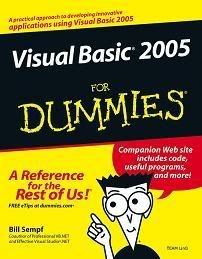
Visual Basic 2005 For Dummies:

>> Thursday, July 23, 2009

Open in new window


Author(s): Bill Sempf
Publisher: Wiley
Year: Nov 2005
ISBN: 076457728X
Language: English
Pages: 362
File type: PDF
Size (for download): 5.3 MB


Welcome to the new version of Visual Basic for 2005. As its name implies, Visual Basic is a visual way to create new programs for the Micro$oft Windows family of operating systems.

And though it is basic in many ways, the Visual Basic language is also very powerful. You can create new class libraries and XML Web services, as well as programs that you can use on your PC or your Web browser, or even your phone or PDA. Anything that can be done in Windows can be done in Visual Basic.

Programming in Visual Basic is easier than you might think, thanks to the visual tools supplied by Visual Studio. You donít have to type line after line of code to create a working program ó Visual Studio automatically generates some code for you when you drag and drop components with the visual tools. Of course, being able to read and write code is important too, and this book provides plenty of code samples so you can understand the inner workings of your programs.

This book also shows you some best practices to keep in mind as you get further along in your programming. Your first programs may be very simple, but when you start getting into more complicated applications, you really need to plan out your program before you start writing the code.


TABLE OF CONTENT:
Chapter 01 - Wading into Visual Basic
Chapter 02 - Using Visual Studio 2005
Chapter 03 - Designing Applications in VB 2005
Chapter 04 - Building Windows Applications
Chapter 05 - Building Web Applications
Chapter 06 - Building Class Libraries
Chapter 07 - Building Web Services
Chapter 08 - Debugging in VB 2005
Chapter 09 - Interpreting Strings and Things
Chapter 10 - Making Decisions in Code
Chapter 11 - Getting Loopy
Chapter 12 - Reusing Code
Chapter 13 - Making Arguments, Earning Returns
Chapter 14 - Writing Secure Code
Chapter 15 - Accessing Data
Chapter 16 - Working with the File System
Chapter 17 - Accessing the Internet
Chapter 18 - Creating Images
Chapter 19 - Ten Tips for Using the VB User Interface
Chapter 20 - Ten Ideas for Taking Your Next Programming Step
Chapter 21 - Ten Resources on the Internet

to download follow the link below:

Read more...

Course 2310C: Developing Web Applications Using Microsoft Visual Studio 2008:

This five-day instructor-led course will teach introductory-level Web developers the fundamentals of Web application development and best practices for Microsoft Web development technologies, including ASP.NET 3.5, ASP.NET AJAX Extensions, and Silverlight. This course focuses on using the Microsoft Visual Studio 2008 development environment and the Microsoft .NET Framework 3.5 to create a Web application that delivers dynamic content to a Web site.

Audience Profile
This course is intended for introductory-level Web developers who have knowledge of Hypertext Markup Language (HTML) or Dynamic HTML (DHTML), along with some knowledge of a scripting language such as Visual Basic Scripting Edition or Microsoft JScript.
This course is also appropriate for Microsoft Visual Basic 6.0, Microsoft Visual Basic for Applications (VBA) or classic ASP developers who want to learn ASP.NET 3.5 and other Microsoft Web development technologies.

At Course Completion
After completing this course, students will be able to:
* Describe the key features of the Microsoft .NET Framework and ASP.NET.
* Create a component by using Visual Basic or Visual C#.
* Create a Microsoft ASP.NET Web Form that contains server controls.
* Add functionality to server controls that are on an ASP.NET Web form.
* View runtime information about a Web application by using the Trace and Debug objects.
* Validate user input by using validation controls.
* Create and implement a user control.
* Access data by using Microsoft ADO.NET 3.5 and the built-in data access tools available in Visual Studio 2008.
* Accomplish complex data access tasks from an ASP.NET Web application.
* Access and manipulate data that was stored by using Extensible Markup Language (XML).
* Create and extend an ASP.NET AJAX application.
* Create a Microsoft Silverlight-based application that delivers dynamic content.
* Call a Web service from an ASP.NET Web application and incorporate the returned data into a Web application.
* Store ASP.NET Web application and session data by using a variety of methods.
* Configure and deploy an ASP.NET Web application.
* Secure an ASP.NET Web application by using a variety of technologies, including authentication and authorization.

to download follow the links below:


http://rapidshare.com/files/258607801/jgt-m2310c.part25.rar
http://rapidshare.com/files/258607503/jgt-m2310c.part12.rar
http://rapidshare.com/files/258607474/jgt-m2310c.part10.rar
http://rapidshare.com/files/258606896/jgt-m2310c.part26.rar
http://rapidshare.com/files/258606574/jgt-m2310c.part03.rar
http://rapidshare.com/files/258606445/jgt-m2310c.part15.rar
http://rapidshare.com/files/258606165/jgt-m2310c.part18.rar
http://rapidshare.com/files/258606011/jgt-m2310c.part05.rar
http://rapidshare.com/files/258605873/jgt-m2310c.part16.rar
http://rapidshare.com/files/258605763/jgt-m2310c.part09.rar
http://rapidshare.com/files/258605674/jgt-m2310c.part22.rar
http://rapidshare.com/files/258605478/jgt-m2310c.part01.rar
http://rapidshare.com/files/258605079/jgt-m2310c.part14.rar
http://rapidshare.com/files/258605033/jgt-m2310c.part21.rar
http://rapidshare.com/files/258604978/jgt-m2310c.part27.rar
http://rapidshare.com/files/258604969/jgt-m2310c.part19.rar
http://rapidshare.com/files/258604957/jgt-m2310c.part20.rar
http://rapidshare.com/files/258604904/jgt-m2310c.part04.rar
http://rapidshare.com/files/258604872/jgt-m2310c.part07.rar
http://rapidshare.com/files/258604742/jgt-m2310c.part13.rar
http://rapidshare.com/files/258604673/jgt-m2310c.part11.rar
http://rapidshare.com/files/258604620/jgt-m2310c.part08.rar
http://rapidshare.com/files/258604290/jgt-m2310c.part06.rar
http://rapidshare.com/files/258604262/jgt-m2310c.part02.rar
http://rapidshare.com/files/258603830/jgt-m2310c.part17.rar
http://rapidshare.com/files/258603786/jgt-m2310c.part23.rar
http://rapidshare.com/files/258603675/jgt-m2310c.part24.rar

Read more...

2541B Core Data Access with Microsoft Visual Studio 2005 – DeliveryGuide:

>> Tuesday, July 14, 2009

http://blogs.msdn.com/blogfiles/trika/WindowsLiveWriter/SystemCenterandOperationsManagementcerti_D879/MCTS_4.jpg

About This Workshop

Elements of this syllabus are subject to change.
This three-day instructor-led workshop provides students with the knowledge and skills to develop data-access applications by using the Microsoft .NET Framework and Microsoft Visual Studio 2005. The workshop describes how to access and update data in a database by using ADO.NET. The workshop also describes how to create, read, and write XML data.

Audience Profile

This workshop is intended for corporate and Independent Software Vendor (ISV) application developers who have a desire to learn more about specific technology areas in distributed application development.

At Workshop Completion

After completing this course, students will be able to:
  • Connect to databases and read data.
  • Query and update databases by using commands.
  • Perform transactional operations.
  • Perform disconnected operations programmatically.
  • Perform disconnected operations by using Visual Studio 2005 wizards.
  • Perform XML operations on disconnected data.
  • Read and write XML data.
  • Process XML data by using the Document Object Model DOM.

Workshop OutlineSession 1: Unit 1: Connecting to Databases and Reading Data

This unit introduces the fundamental skills required to connect to a database and read data from the database. It describes how to use ADO.NET data providers to connect to various different kinds of databases, and how to execute a query that returns a scalar value from the database. It also describes how to use connection pooling to achieve scalability, and how to handle connection events and exceptions.

Lessons

  • What Is ADO.NET?

  • The Process for Connecting to a Database and Reading Data

  • What Is Connection Pooling?

Lab : Connecting to Databases and Reading Data

  • Connecting to a Database
  • Saving a Connection String Securely in an Application Configuration File
  • Retrieving Data from a Database
  • Handling Connection Events and Exceptions
  • Configuring and Using Connection Pooling (if time permits)

After completing this module, students will be able to:
  • Describe the key features of ADO.NET.
  • Explain the process for connecting to a database and reading data from a database.
  • Describe the benefits of connection pooling.
  • Connect to a database.
  • Save a connection string securely in an application configuration file.
  • Retrieve data from a database.
  • Handle connection events and exceptions.

Session 2: Unit 2: Querying and Updating Databases by Using Commands

This unit describes how to create and run commands that return a scalar value, return a result set, update data in the database, or update the schema of the database. It also describes how to create and run parameterized commands.

Lessons

  • ADO.NET Commands

  • The Process for Passing Parameters into Commands

Lab : Querying and Updating Databases by Using Commands

  • Creating and Running Query Commands
  • Creating and Running Parameterized Commands
  • Creating and Running Update Commands
  • Using Globalized Formats for Storing and Accessing Data (if time permits)

After completing this module, students will be able to:
  • List the different types of ADO.NET commands.
  • Explain the process for creating and executing parameterized commands.
  • Create and run query commands.
  • Create and run parameterized commands.
  • Create and run update commands.

Session 3: Performing Transactional Operations

This unit describes how to manage transactions in a .NET application at the middle tier. It describes how to write ADO.NET code to start, commit, and rollback local transactions. It also describes how to specify an appropriate isolation level for a transaction, and how to enlist in distributed transactions.

Lessons

  • What Is a Transaction?

  • The Process for Managing Local Transactions

  • The Process for Managing Distributed Transactions

  • Isolation Levels

Lab : Performing Transactional Operations

  • Performing Data Updates within a Transaction
  • Choosing an Appropriate Isolation Level for a Transaction
  • Enlisting in a Distributed Transaction
  • Managing Transactions in the Data Tier (if time permits)

After completing this module, students will be able to:
  • Describe the concept of transactional operations.
  • Explain the process for managing a local transaction.
  • Explain the process for managing a distributed transaction.
  • Describe the effect of setting the isolation level for a transaction.
  • Perform data updates within a transaction.
  • Choose an appropriate isolation level for a transaction.
  • Enlist in a distributed transaction.

Session 4: Performing Disconnected Operations Programmatically

This unit describes how to create and use DataSets programmatically. It describes how to create DataSet, DataTable, and DataColumn objects, how to populate a DataSet manually, and how to load and save data by using a DataAdapter. It also describes how to create in-memory views on data by using a DataView.

Lessons

  • What Is the ADO.NET Disconnected Model?

  • The Process for Loading and Saving Data in a DataSet

  • What Are DataViews?

Lab : Performing Disconnected Operations Programmatically

  • Creating a DataSet Programmatically
  • Populating and Saving a DataSet
  • Adding, Modifying, and Deleting Data in a DataSet
  • Merging DataSets
  • Creating and Using DataViews (if time permits)

After completing this module, students will be able to:
  • Describe the ADO.NET disconnected data model.
  • Explain the process for loading and saving data in a DataSet.
  • Describe how to use DataViews to provide a view on data.
  • Create a DataSet programmatically.
  • Populate and save a DataSet.
  • Add, modify, and delete data in a DataSet.
  • Merge DataSets.

Session 5: Performing Disconnected Operations by Using Visual Studio 2005 Wizards

This unit describes how to create typed DataSets, DataAdapters, and TableAdapters by using the TableAdapter Configuration Wizard and the Data Source Configuration Wizard in Visual Studio 2005. It also describes how to write type-safe code to access data in a typed DataSet.

Lessons

  • Comparing Untyped DataSets with Typed DataSets

  • What Are Table Adapters?

  • Demonstration: Creating a Typed DataSet by Using Visual Studio 2005 Wizards

Lab : Performing Disconnected Operations by Using Visual Studio 2005 Wizards

  • Creating a Typed DataSet by Using the DataSet Designer
  • Loading, Displaying, and Saving Data in a Typed DataSet
  • Adding Code to a Typed DataSet
  • Creating a Typed DataSet by Using the Data Source Configuration Wizard
  • Adding Queries to a Table Adapter (if time permits)

After completing this module, students will be able to:
  • Explain the differences between untyped DataSets and typed DataSets.
  • Explain how table adapters work in conjunction with data tables in a typed DataSet.
  • Describe the process for creating a typed DataSet by using Visual Studio 2005 Wizards.
  • Create a typed DataSet by using the DataSet Designer.
  • Load, display, and save data in a typed DataSet.
  • Add code to a typed DataSet.
  • Create a typed DataSet by using the Data Source Configuration Wizard.

Session 6: Performing XML Operations on Disconnected Data

This unit describes how to read and write DataSets in XML format. It describes how to read and write data only, schema only, or a combination of the two. It also describes how to read and write a DataSet as a DiffGram, so that modifications to the data can be retained when the DataSet is serialized to XML format.

Lessons

  • XML Representations of DataSets

  • What Are DiffGrams?

Lab : Performing XML Operations on Disconnected Data

  • Saving a DataSet as XML Data
  • Loading a DataSet from XML
  • Saving and Loading DataSet Schema Information

After completing this module, students will be able to:
  • Describe scenarios in which you can represent a DataSet as XML data.
  • Explain how a DiffGram retains information about modifications to a DataSet.
  • Save a DataSet as XML data.
  • Load a DataSet from XML.
  • Save and load DataSet schema information.

Session 7: Reading and Writing XML Data

This unit describes how to use the XmlReader and XmlWriter classes to serially read and write XML data. It describes how to read elements, attributes, and text content in an XML document, and perform validation against an XML schema. It also describes how to create an XML document and write elements, attributes, namespace declarations, and text content.

Lessons

  • The Process for Serially Reading XML Data

  • The Process for Serially Writing XML Data

Lab : Reading and Writing XML Data

  • Writing XML Data by Using XmlWriter
  • Reading XML Data by Using XmlReader

After completing this module, students will be able to:
  • Describe the process for serially reading XML data.
  • Describe the process for serially writing XML data.
  • Write XML data by using XmlWriter.
  • Read XML data by using XmlReader.

Session 8: Processing XML Data by Using DOM

This unit describes how to process XML data in memory by using the Document Object Model (DOM). It describes how to load an XML document into a DOM tree, and validate the XML document against an XML schema. It also describes how to read existing XML content, modify XML content, and save the DOM tree to an XML document.

Lessons

  • What Is DOM?

  • What Are DOM Trees?

  • Types of XML Nodes in a DOM Tree

Lab : Processing XML Data by Using DOM

  • Reading XML Data by Using DOM
  • Writing XML Data by Using DOM

After completing this module, students will be able to:
  • Explain what DOM is and describe how to process XML data in memory by using DOM.
  • Explain what a DOM tree is and describe how to represent XML documents as a DOM tree.
  • List the types of nodes in a DOM tree.
  • Read XML data by using DOM.
  • Modify XML data by using DOM.


to download follow the link below:

Read more...

FOR ISSUES CONTACT ME...!

Privacy Policy        Contact me: tahir90.webdeveloper@gmail.com

 
SEO by Master Google